Studio: edit your app where you see it
Studio shows your real app and lets you change it on the page. Direct edits, such as colours, land at once and cost nothing. Anything bigger you describe in words, and you see its price before it runs. Your live app stays as it is, because Studio edits a copy.
You need a project whose app has been built.
Step by step
The screenshots are from production on 2026-09-25, taken on the owner's own app. Tap one to see it full size.
- 1
Open Studio
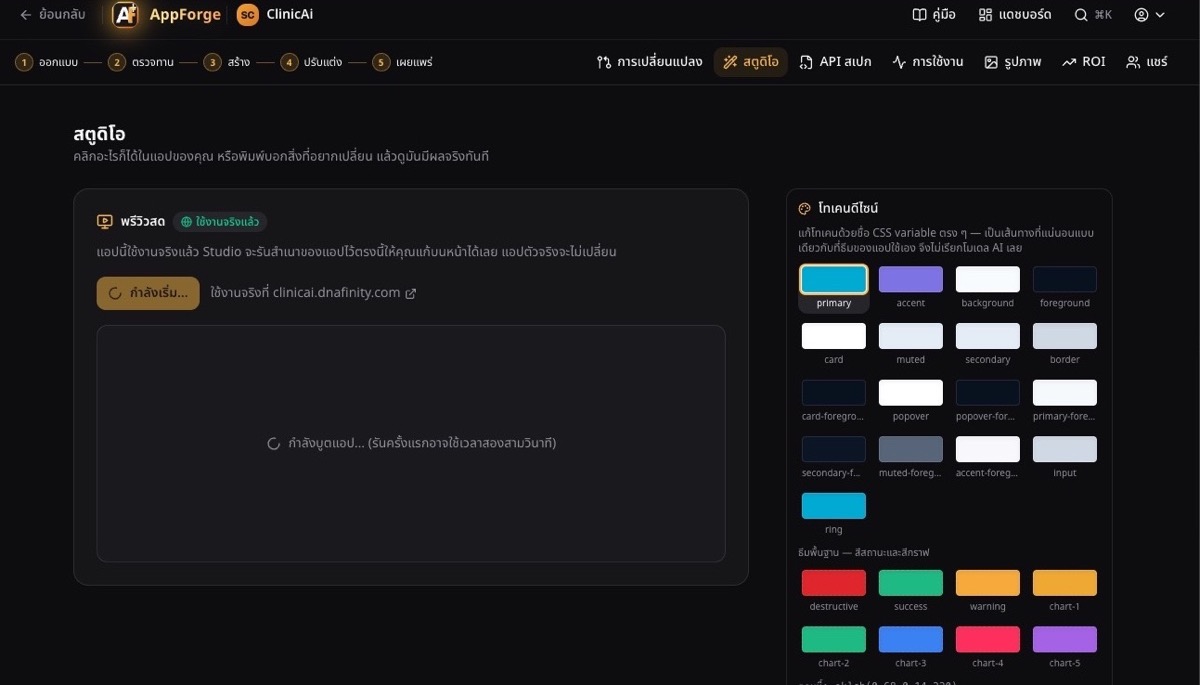 DoIn your project, choose Studio in the top menu.You will seeStudio starts a copy of your app by itself. The first start takes about a minute. If your app is already live, the live app stays as it is.
- 2
Your app, running inside Studio
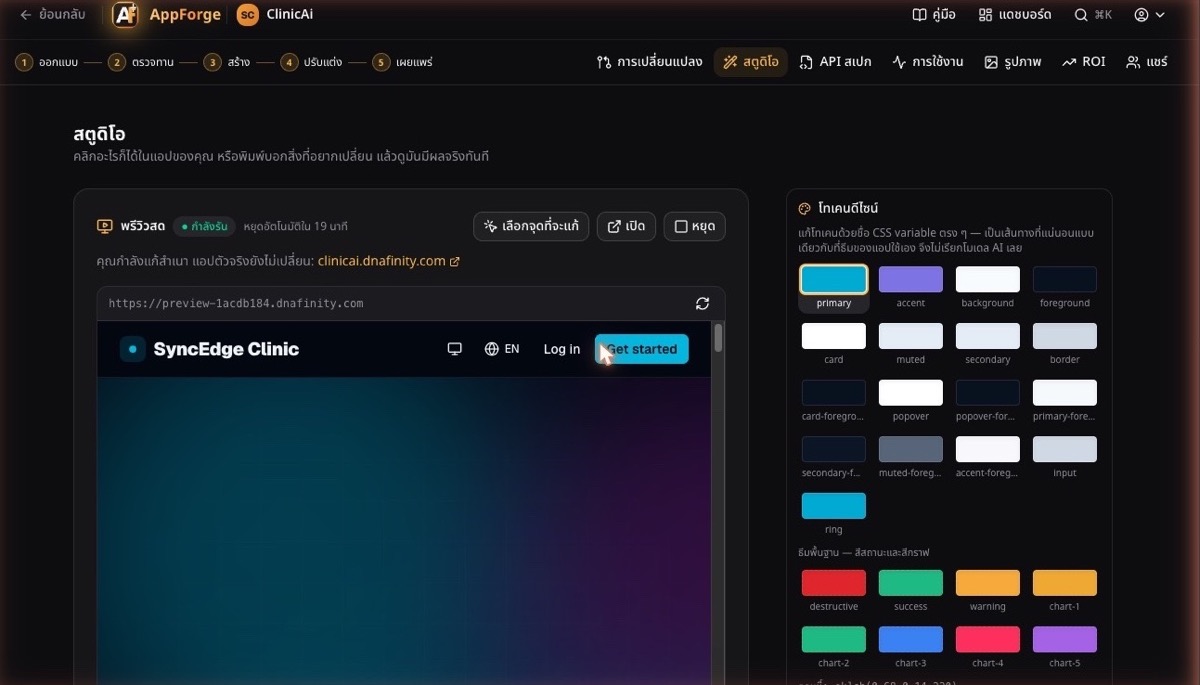 DoUse the app in the frame as you normally would: open pages, sign up, try it out.You will seeRunning, the time left before it stops by itself, and a line saying you are editing a copy.
Tip: The copy starts with an empty database. To see pages that need an account, sign up inside the copy first.
- 3
Pick the spot to change
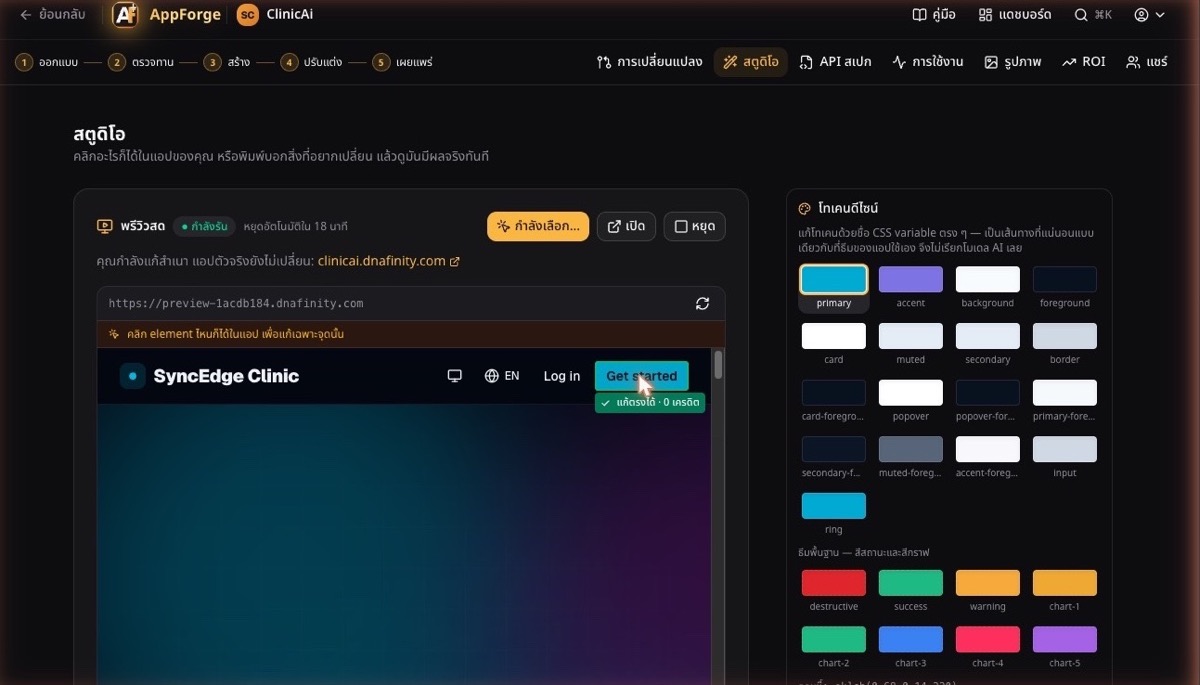 DoPress Pick element, then click anything on the page.You will seeA frame on what you clicked. Solid means Studio can change it exactly, for free. Dashed means you describe the change in words and see the price first.
Tip: Pages the AI wrote are dashed. Screens compiled from an approved API Spec form are solid.
- 4
Change a colour
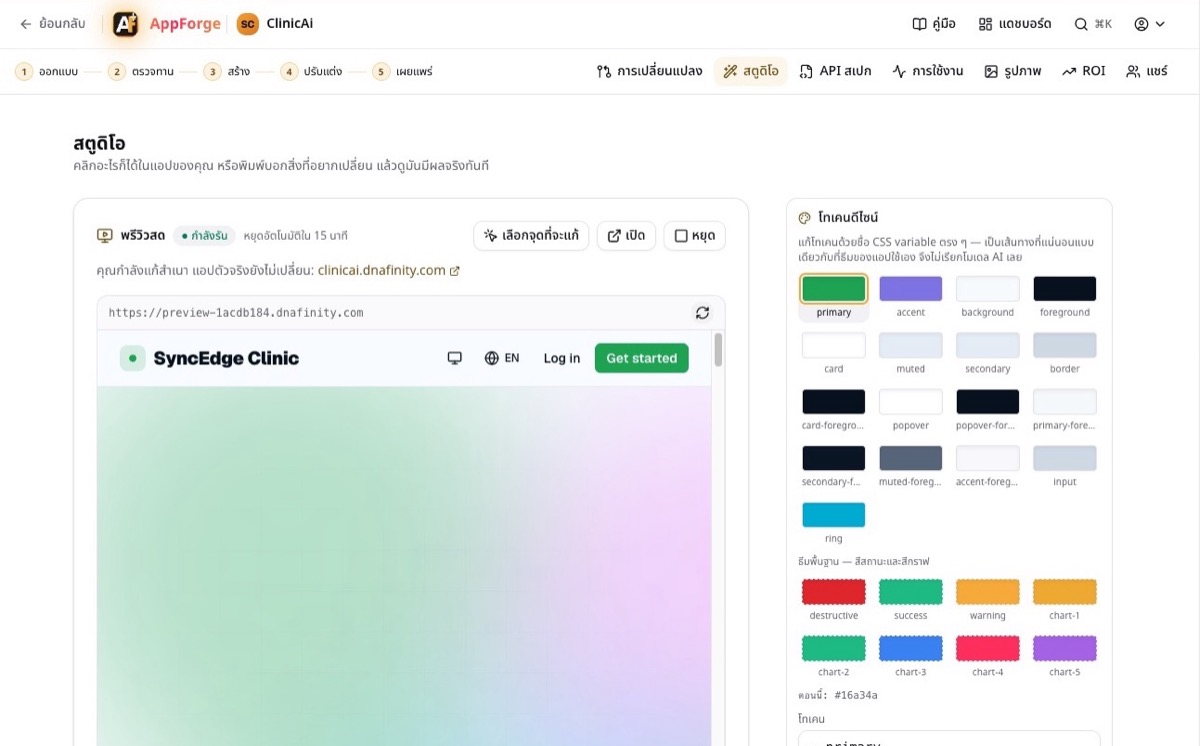 DoIn Design tokens, pick a swatch (primary is the main brand colour), type a new value and press Apply.You will seeThe page changes at once. No AI is called and it costs 0 credits.
Tip: Studio then copies your change into the running copy without restarting it, and swaps in the page it serves once that is ready. The page keeps showing your change meanwhile.
- 5
Describe a change and see its price first
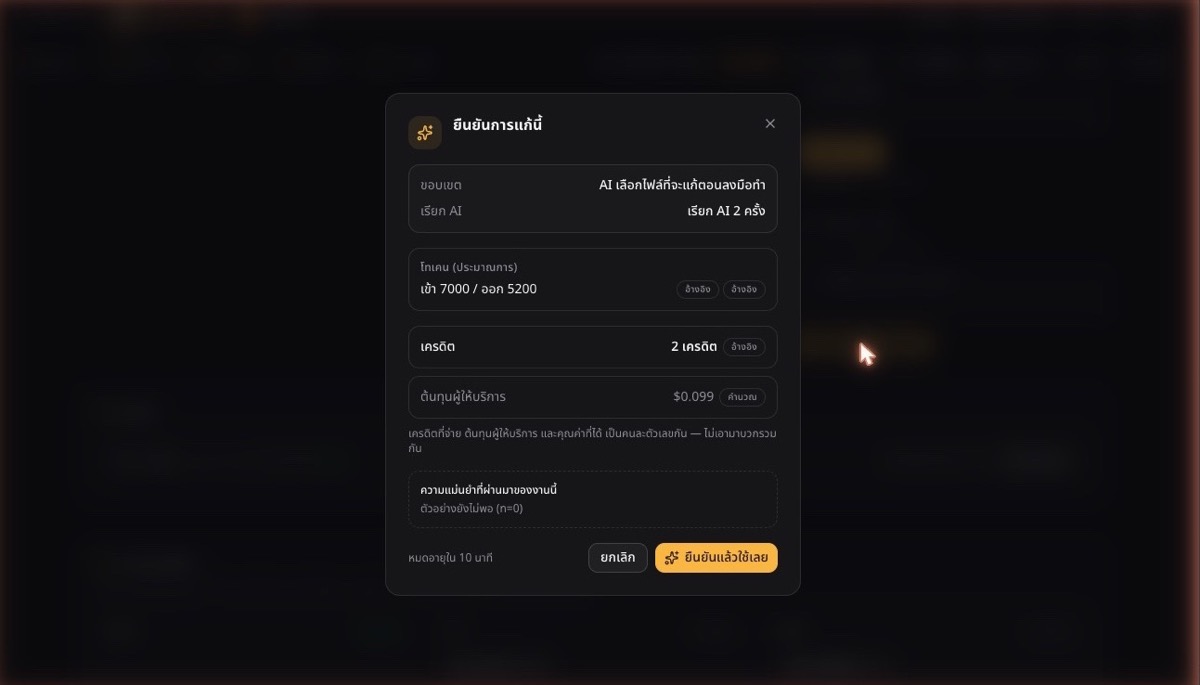 DoType what you want under Describe the change, then press Preview change.You will seeBefore anything runs: how many AI calls, the estimated tokens, the credits and the provider's cost. Cancel costs nothing.
- 6
Undo, and check before it goes further
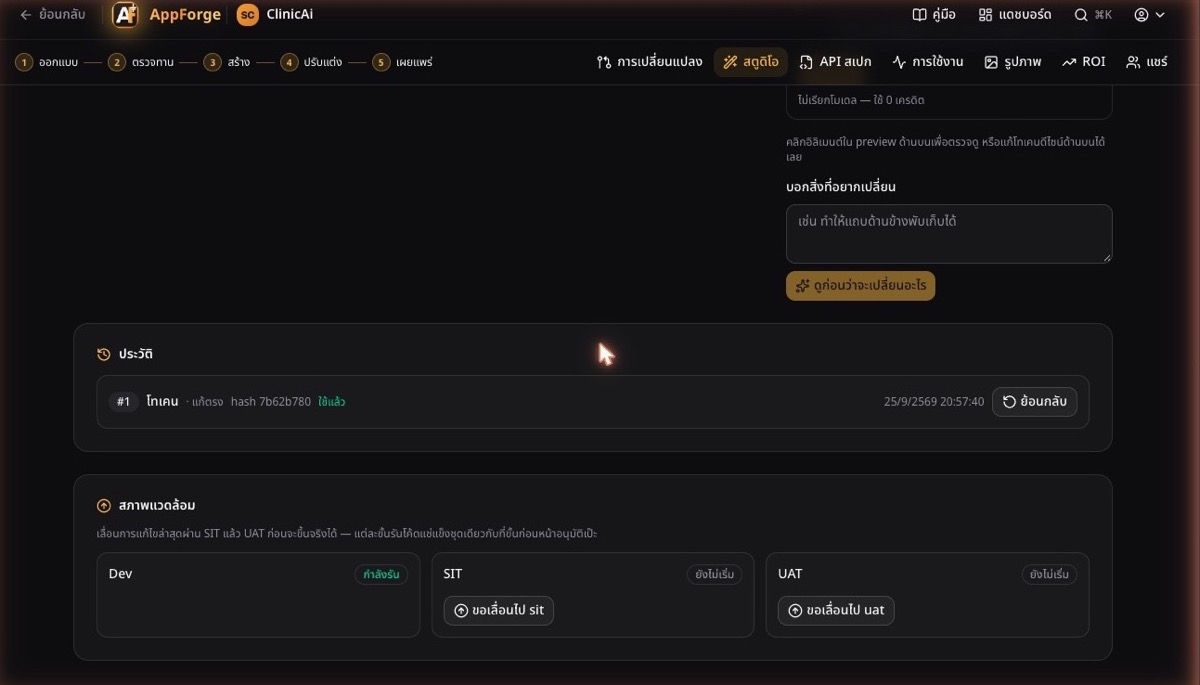 DoScroll to History and press Revert on the latest edit to take it back. Only the newest edit can be reverted; to go further back, revert one at a time.You will seeEvery edit, with its time and whether it was direct or AI. Environments move an edit through SIT, then UAT, and each stage runs the exact frozen code the stage before approved.
What costs what
Free, no AI
Colours and the other design tokens, and any text or screen with a fixed address (a solid frame).
Priced first
Anything you describe in words (a dashed frame). You see the AI calls, tokens and credits, and nothing is charged until you confirm.
Good to know
- Does editing in Studio change my live app?
- No. Studio edits a copy. Your live app changes only when the edit is deployed.
- Why is everything on my page dashed?
- The AI wrote that page, so its parts have no fixed address yet. Describe the change in words instead. Screens compiled from an approved API Spec form get solid frames from their next build.
- The copy stopped. What now?
- It stops by itself about 20 minutes after it starts, to save resources. Press Start again and it comes back with your edits.