One paragraph in,
a running app out
AppForge does the work of a whole team: requirements, design, code, tests, and a preview you can use. The patterned parts, such as tables, forms and basic APIs, are written by the 6GL compiler with no AI at all. AI writes only what is truly your app's own, and you keep editing on the real screen in Studio.
from one paragraph to an app running on its preview link
system timestamps, 30 Sepfor the compiler to write 5 of this app's 8 APIs and 3 of its 8 screens
the form approved at 10:52instead of 145 had the AI written it all: 25% less, because of 6GL
the price shown before building, and chargedfor a human team with the same scope, at ฿162,000–฿771,000
an estimate from the in-app ROI calculatorFrom idea to app in 11 steps
The screenshots come from production while MindDNA, an app for noticing love, greed, anger and delusion before you decide, was being built. The screen-words and Studio screenshots are from ClinicAi. Tap one to see it full size.
- 1 a few seconds
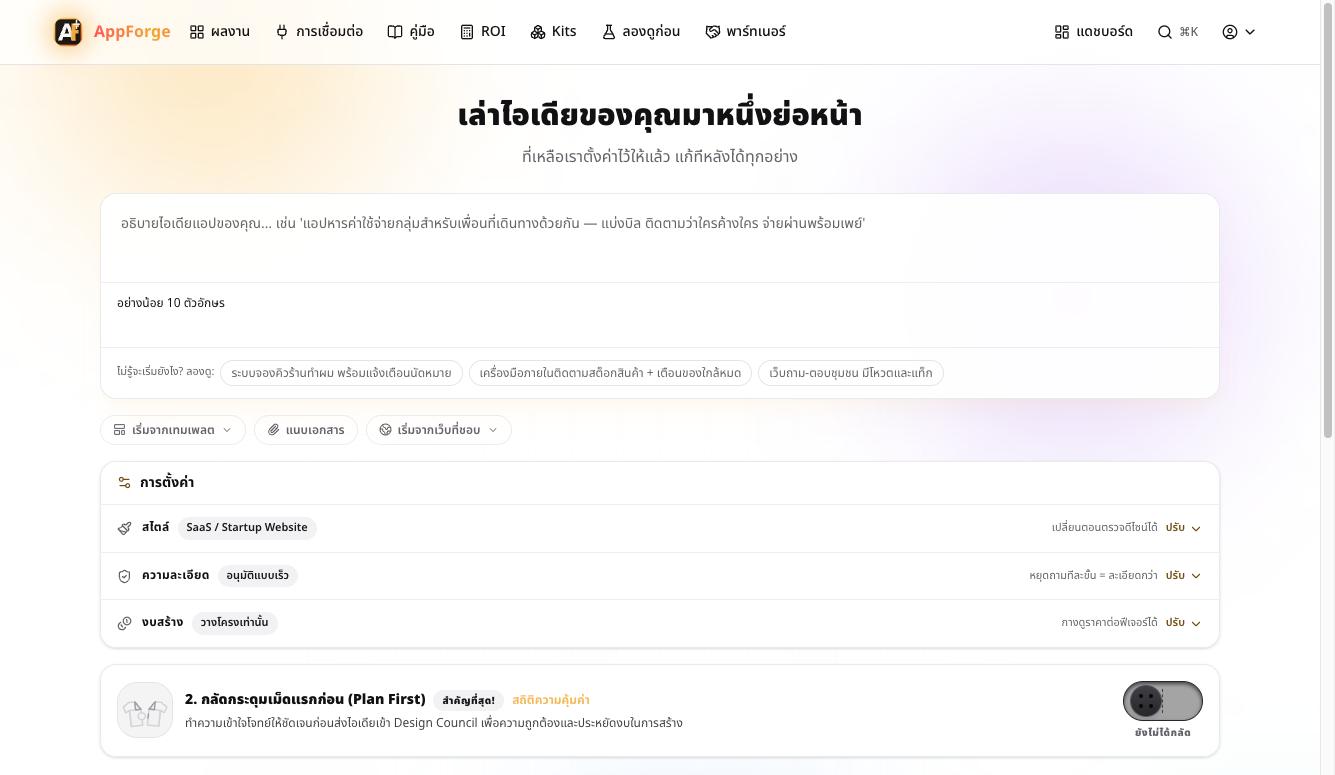
Describe the idea in one paragraph
You doType your idea, attach a document if you have one, then choose a style, a budget and how closely you want to approve each step.AppForge doesAppForge sets up everything else, and all of it can be changed later.You start in plain words and never write a spec yourself. An existing document, such as a BRS, can be attached as it is.
- 2 1 min 5 s
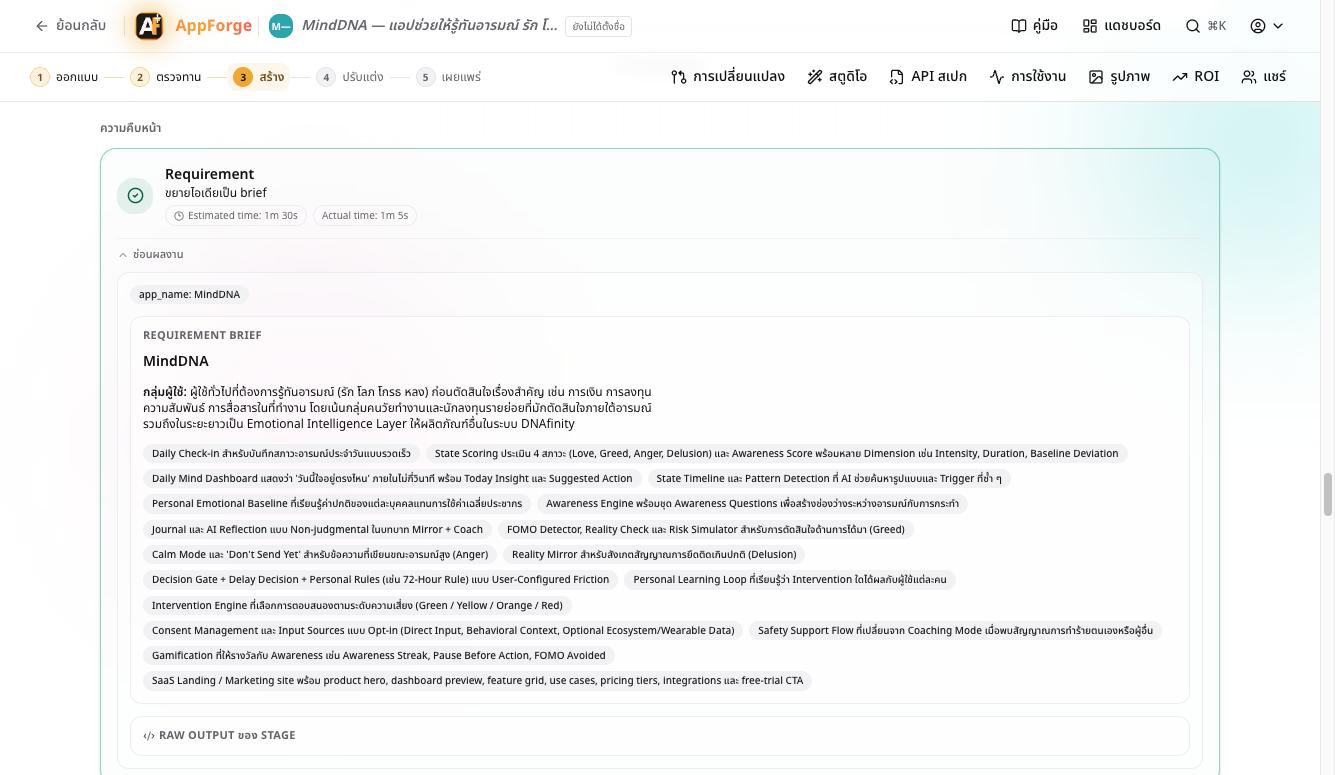
AI turns the idea into requirements
You doRead it, then approve it or ask for changes.AppForge doesIt writes the user groups and a feature list a team could work from straight away.Requirements you can check line by line, in about a minute.
- 3 3.3 min
A council of six AI designers
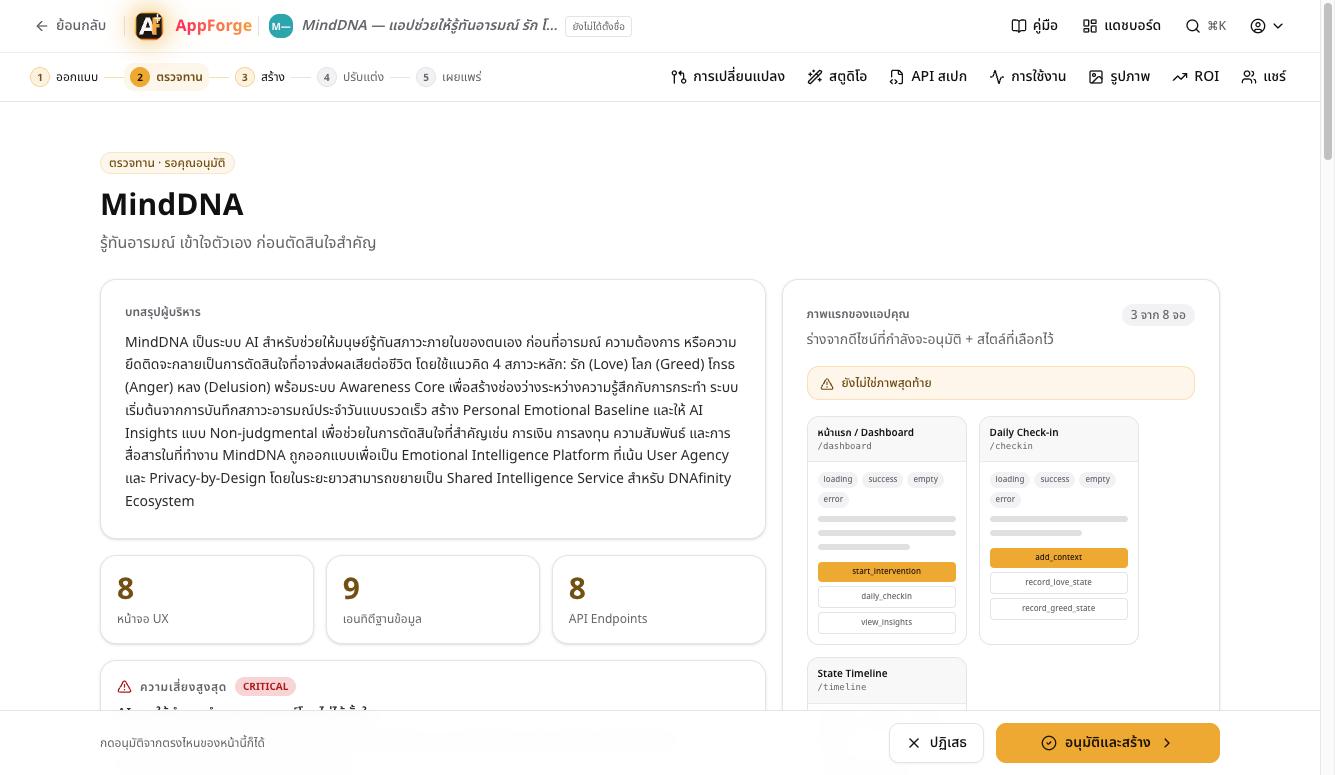
You doReview the overall design, the risks and the first screen.AppForge doesSix AI agents work at once on UX, architecture, database, API, mobile and security, and their work is merged into one document.MindDNA got 8 screens, 9 tables and 8 APIs, with its CRITICAL risks flagged, before a line of code was written.
- 4 under 30 s
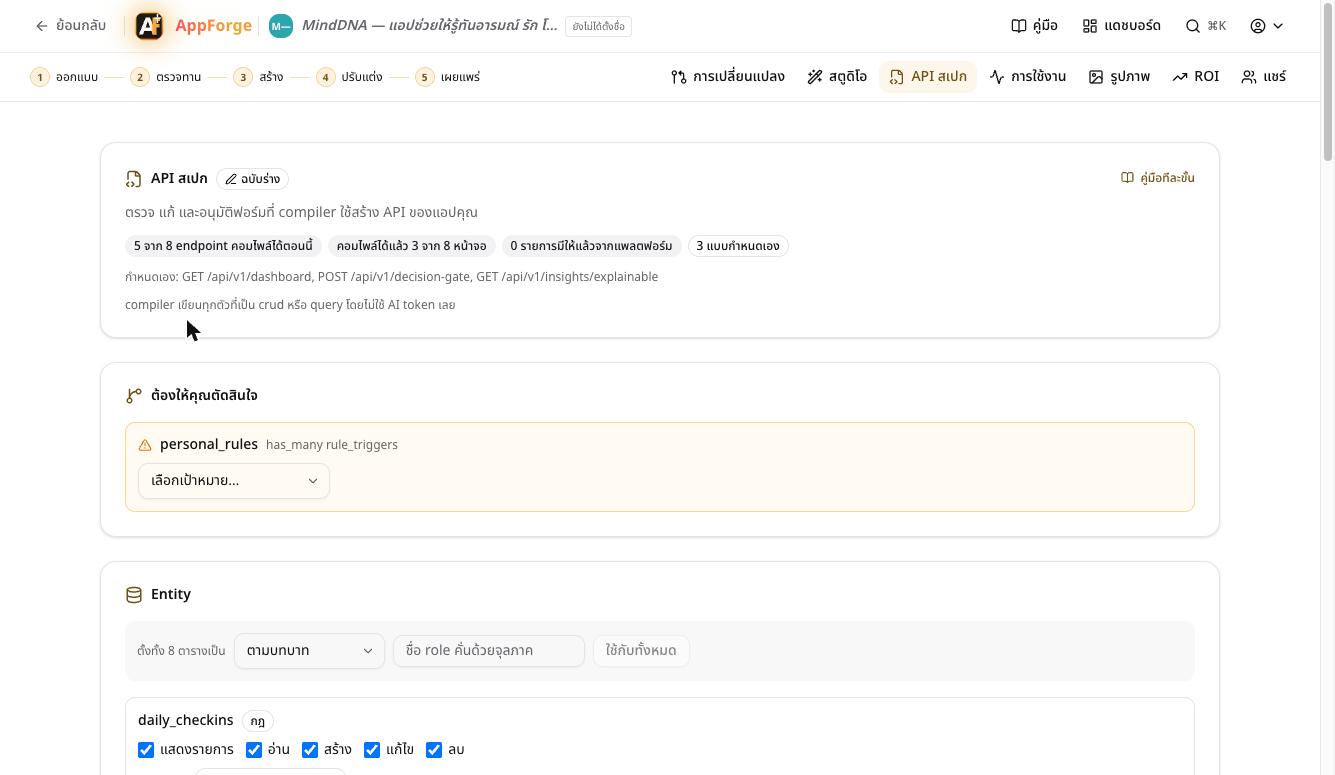
The API Spec form: the heart of 6GL
You doCheck the form the AI filled in, choose who may access each table, and answer only what the system asks.AppForge doesEvery API is sorted into a kind the compiler understands, such as crud, query or aggregate, and the rest are marked custom.This form is the blueprint a person approves and the compiler reads. MindDNA was asked one question: a relation to a table that does not exist.
- 5 one AI call
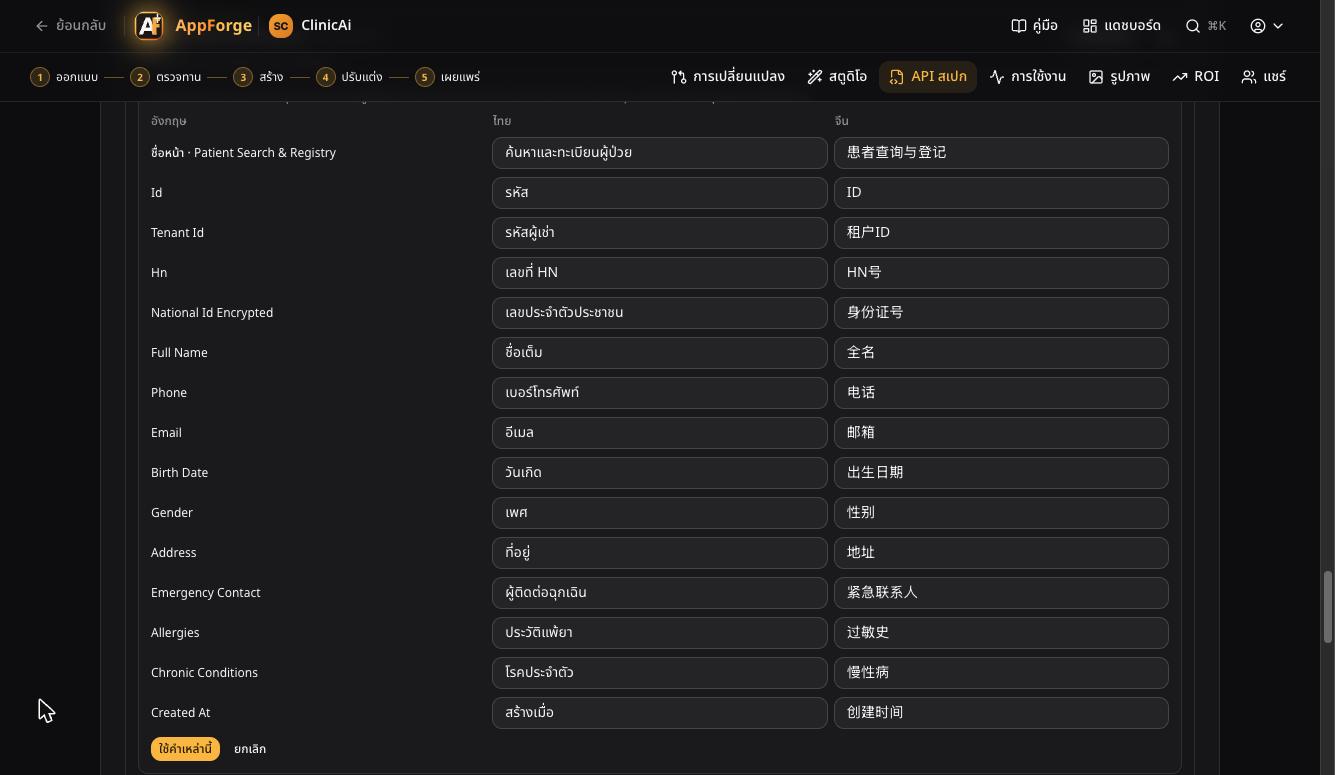
Check each screen's words in Thai and Chinese
You doOn a compiled screen, open Words on screen and change any word. On a form drafted earlier, press Translate the missing words.AppForge doesA small AI translates the page titles and field labels once. A word you wrote is never overwritten, and an empty box keeps the English.ClinicAi got all 43 missing words from one AI call costing less than one baht, so its compiled pages speak the user's language.
- 6 one click
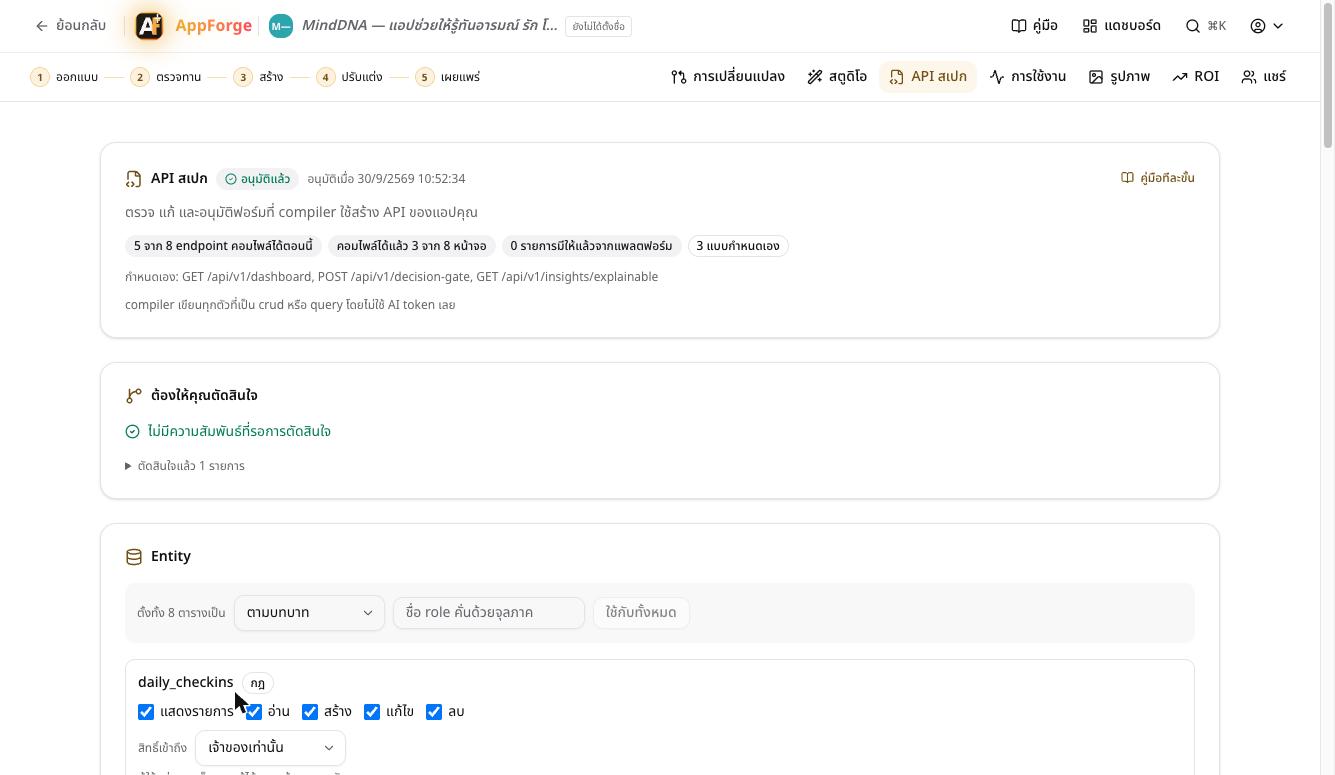
Approve the form
You doPress Approve.AppForge doesIt fixes what the compiler writes by itself and what is left for the AI.For MindDNA the compiler writes 5 of 8 APIs and 3 of 8 screens with no AI at all, with the same result every time.
- 7 before every payment
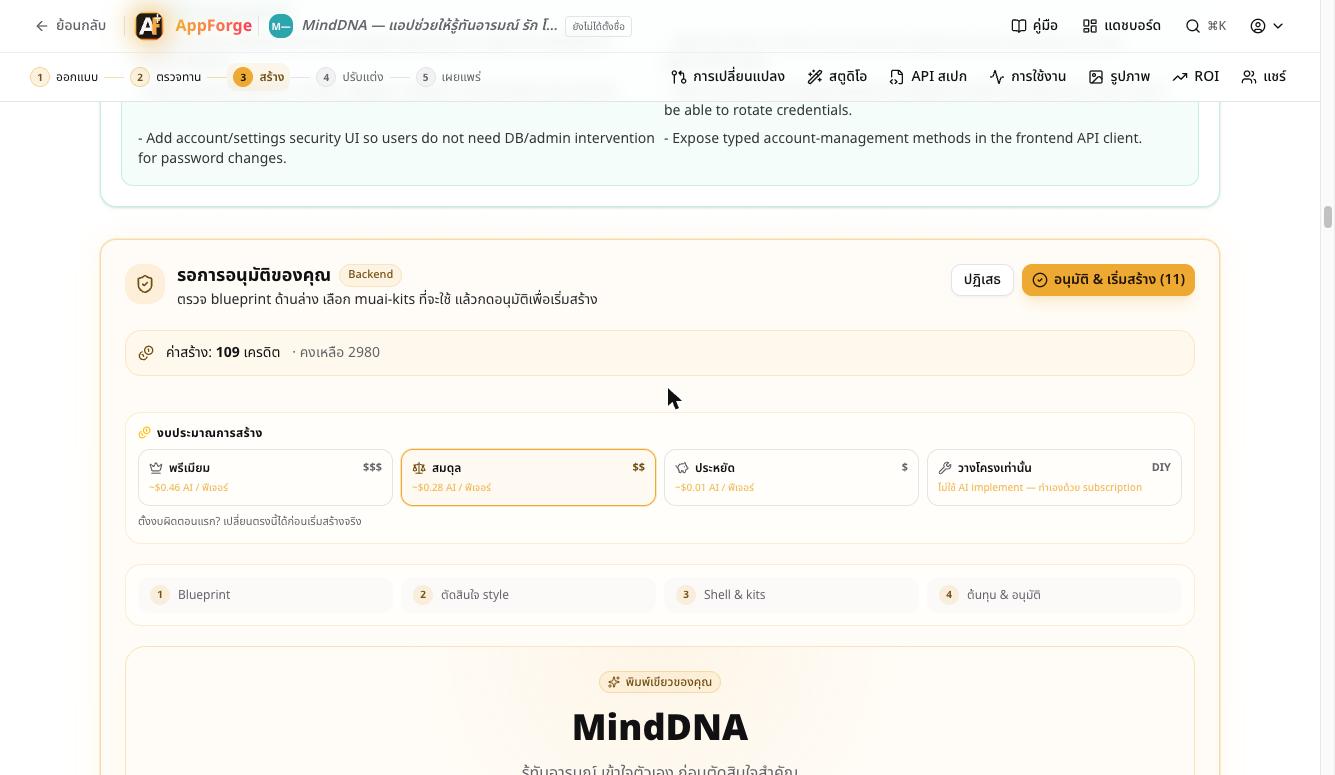
See the price before you build
You doChoose a budget: Premium, Balanced, Economy or Scaffold only. Then approve: the credits are taken at that moment, at exactly the price shown. Everything before this was free.AppForge doesIt prices only the work left after the compiler, and adds the 11 recommended kits.MindDNA cost 109 credits. Had the AI written the whole app, it would have been 145. The difference is what 6GL does for free.
- 8 15.6 min
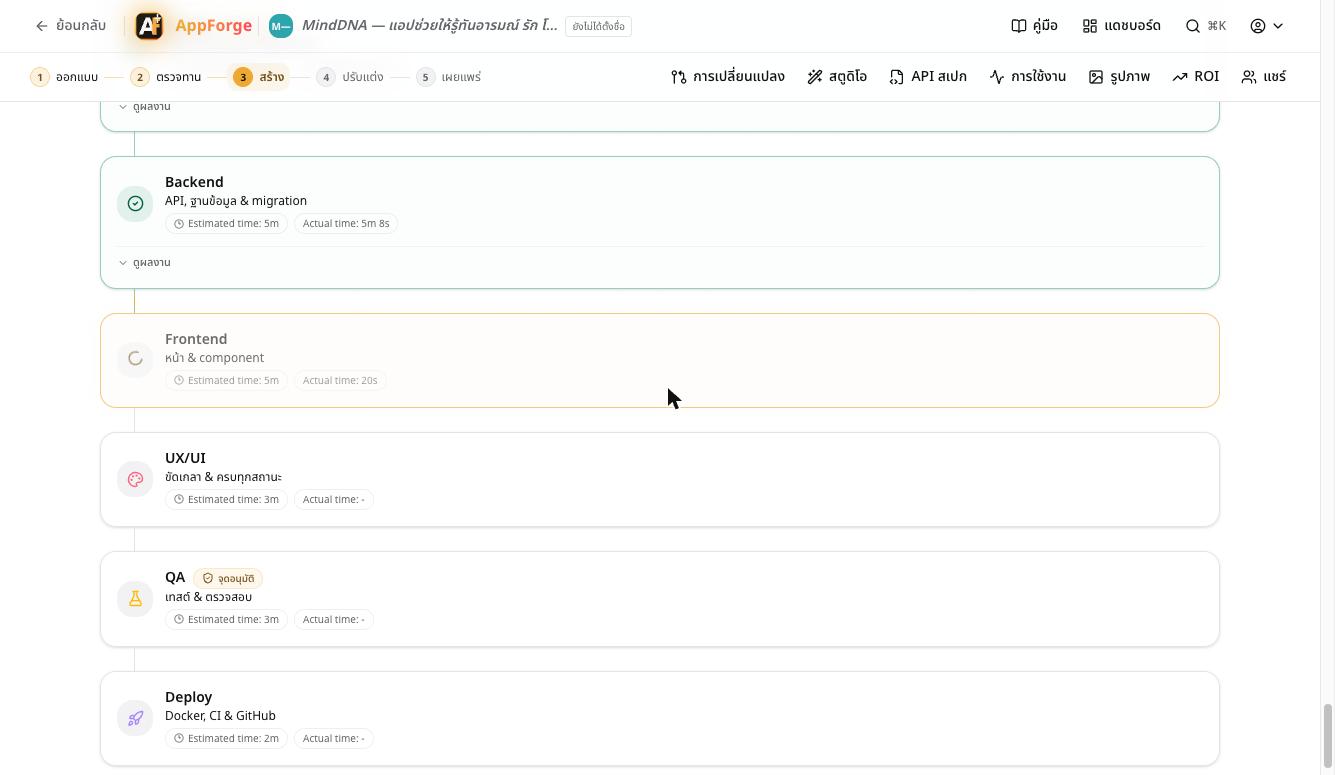
Five build stages, every file checked
You doWait, and follow each stage with its real time.AppForge doesBackend, Frontend, UX/UI, QA and Deploy. Every file the AI writes must be complete, import only what exists, and call only APIs the app has.In this run a test file the AI wrote was incomplete. The system caught it, charged nothing, and the stage passed on a rerun in 6 seconds; since then the QA stage repairs such a file once by itself. All 5 AI-written pages called the right APIs.
- 9 2.5 min
Open the preview and use the real app
You doPress Start preview in Studio, then open the app on its own link.AppForge doesThe whole app runs, its web pages, API and its own database, on a preview link, and stops by itself when it is not in use.MindDNA was running on its preview at 11:12, 27 minutes after the idea was typed.
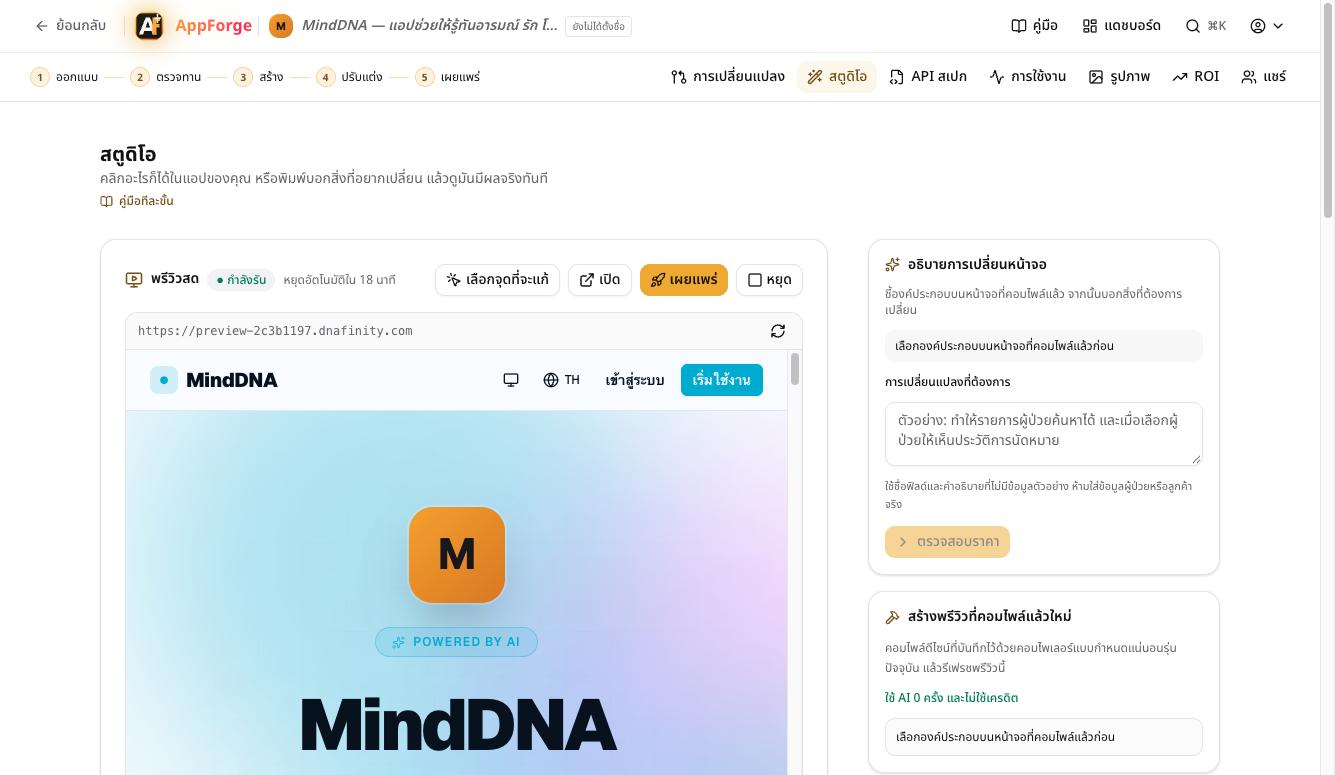
What the app looks like: one theme, one language, one menu
Pages the AI wrote and pages the compiler built both sit in the app's menu, use the theme's colours and speak the user's language. A page that needs data no API provides yet says it is not available, instead of calling something that does not exist.
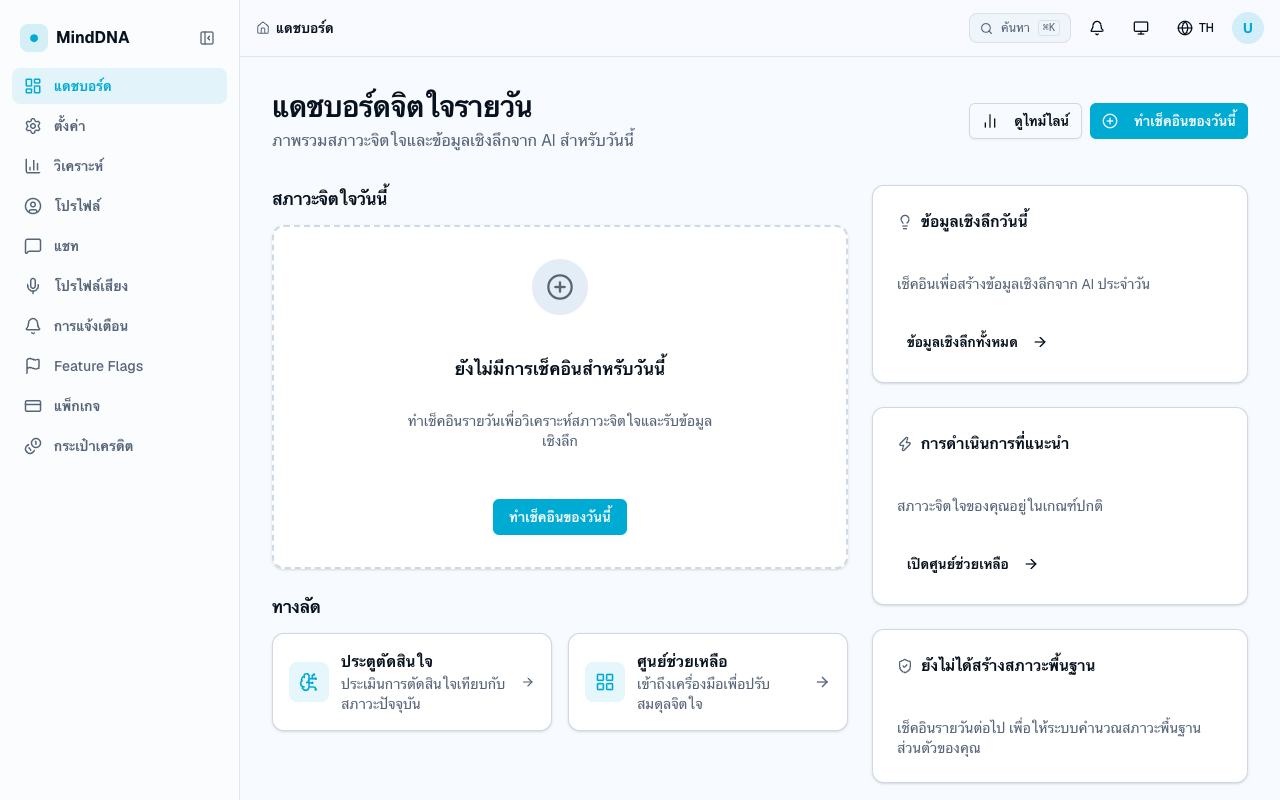
A dashboard the AI wrote · in Thai · in the app's menu 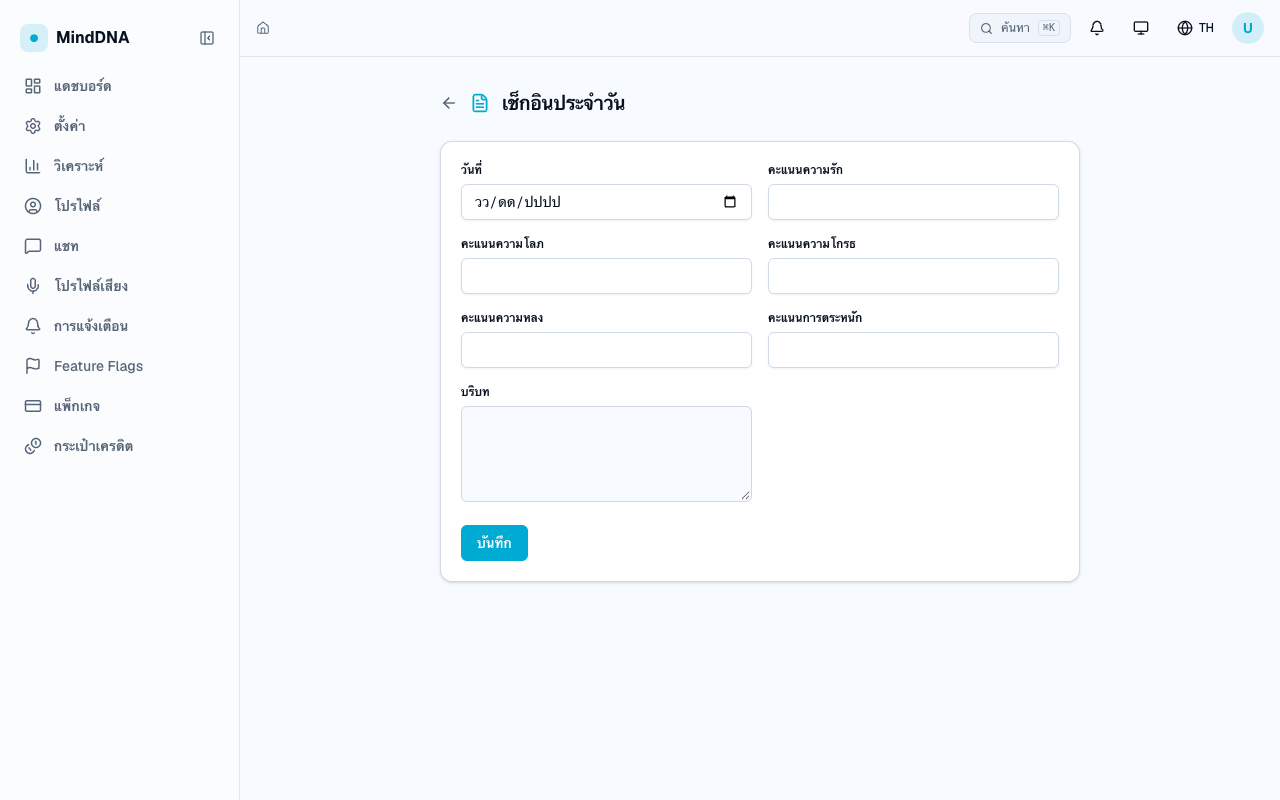
A page the compiler built · its title and fields in Thai from the API form 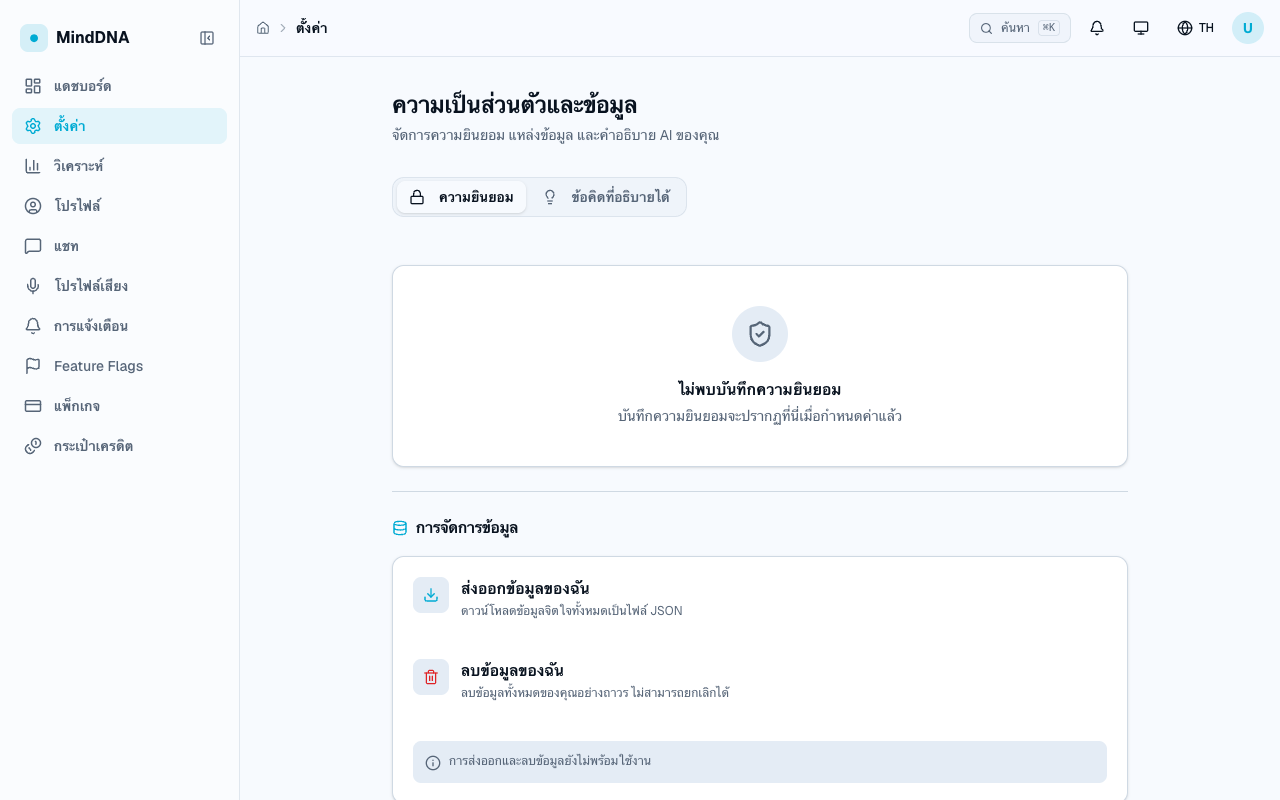
It says plainly what is not ready yet, instead of showing a broken page These are the same production build, opened on a test machine, because these pages need an account.
- 10 at once
Keep editing on the real screen in Studio
You doClick a spot on the running app and change it there.AppForge doesAn edit with a fixed address lands at once and is free. Anything bigger is priced first.The Studio guide book walks through all six steps.
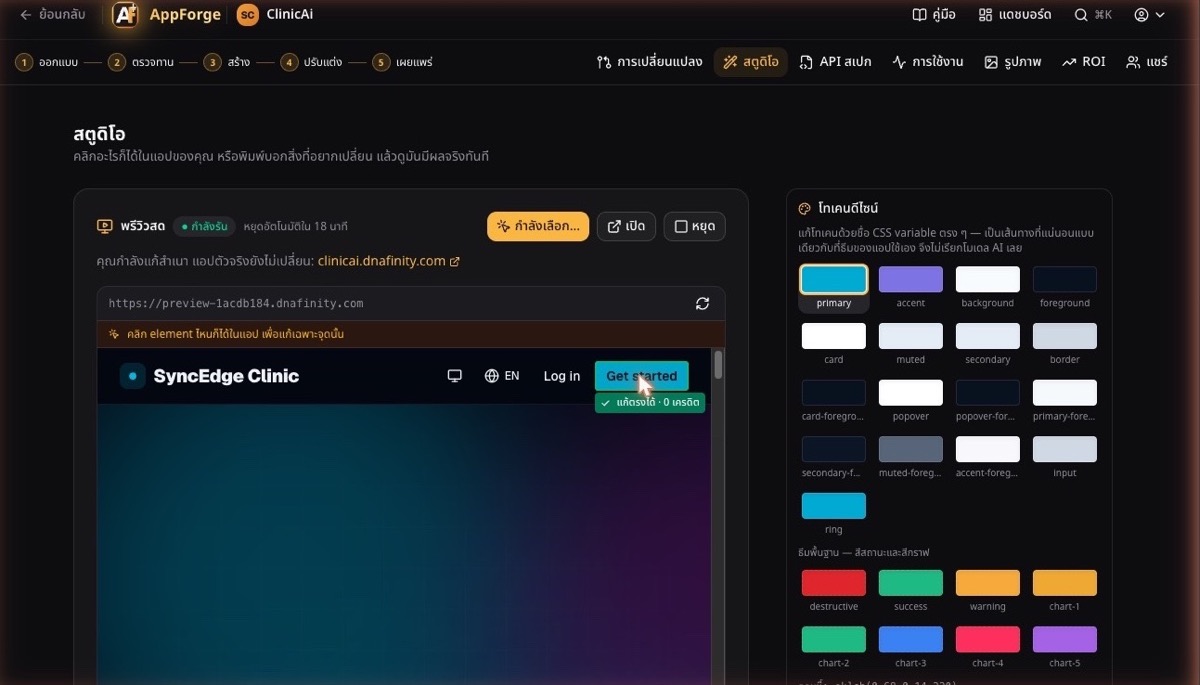
- 11 one click
Publish, or take the code further
You doPress Publish & get a live link, push to GitHub, or download a .zip.AppForge doesYou get a link to share at once, with nothing to install, and can add ready-made kits from the library of 87.You get the app's full source code, not a mock-up.
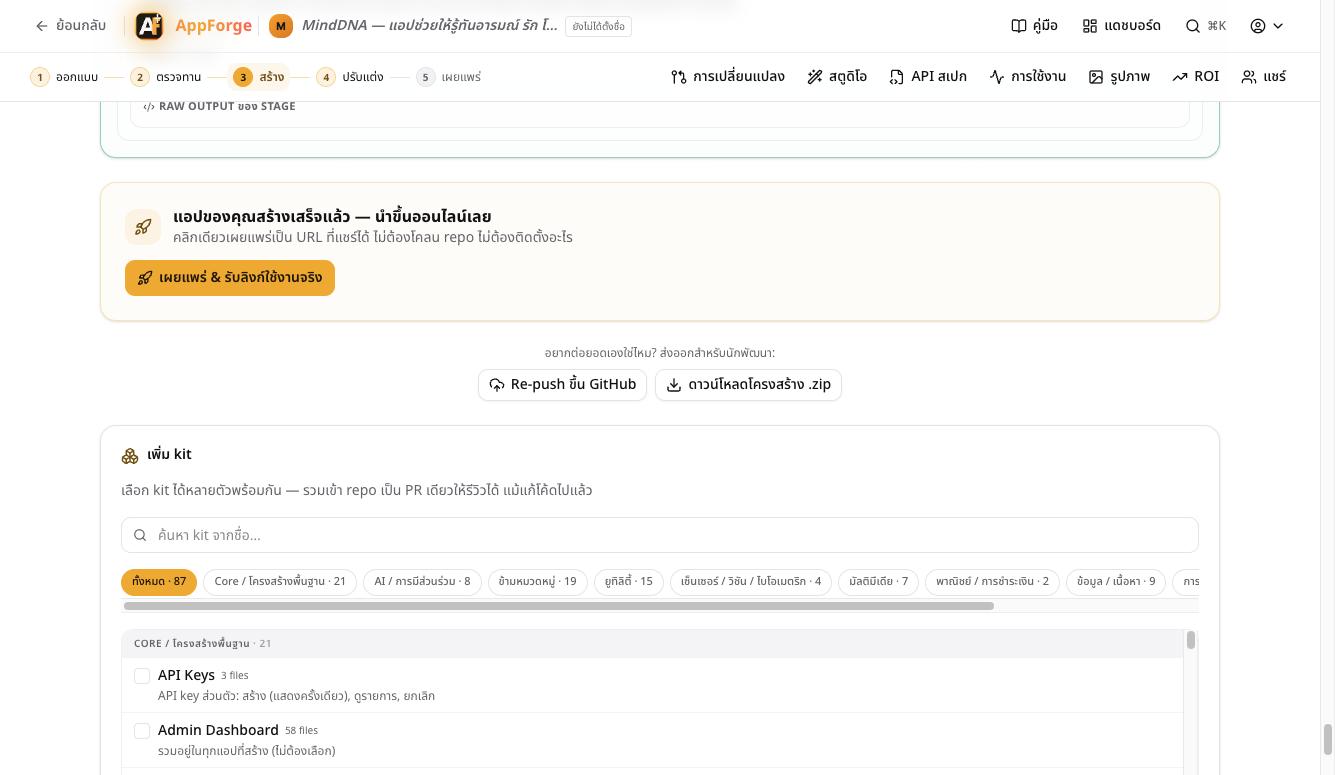
The compiler writes the patterns; AI writes only the rest
Every app repeats the same work: tables, forms, lists and basic APIs. AppForge pays no AI for any of it. The compiler reads the form you approved and writes the same correct code every time. AI is called only for what is truly your app's own.
6GL compiler
- crud and query APIs
- screens that fit one of 52 ready-made types, as the approved API form decides
- database models, migrations and per-table permissions
- 0 tokens · the same result every time · checkable
AI
- APIs with logic specific to your app (custom)
- screens with no ready-made type
- Priced before it runs · every file checked
MindDNA: the compiler wrote 5 APIs and 3 screens; the AI wrote 3 APIs and 5 screens.
Three checks on every file the AI writes
See the running app, click anywhere, change it there
Studio opens a copy of your app, working, in a frame. Edits with a fixed address, such as colours, text and compiled screens, land at once and cost nothing. Anything bigger you describe in words and see its price first. The real app does not change until you deploy.
1Open Studio
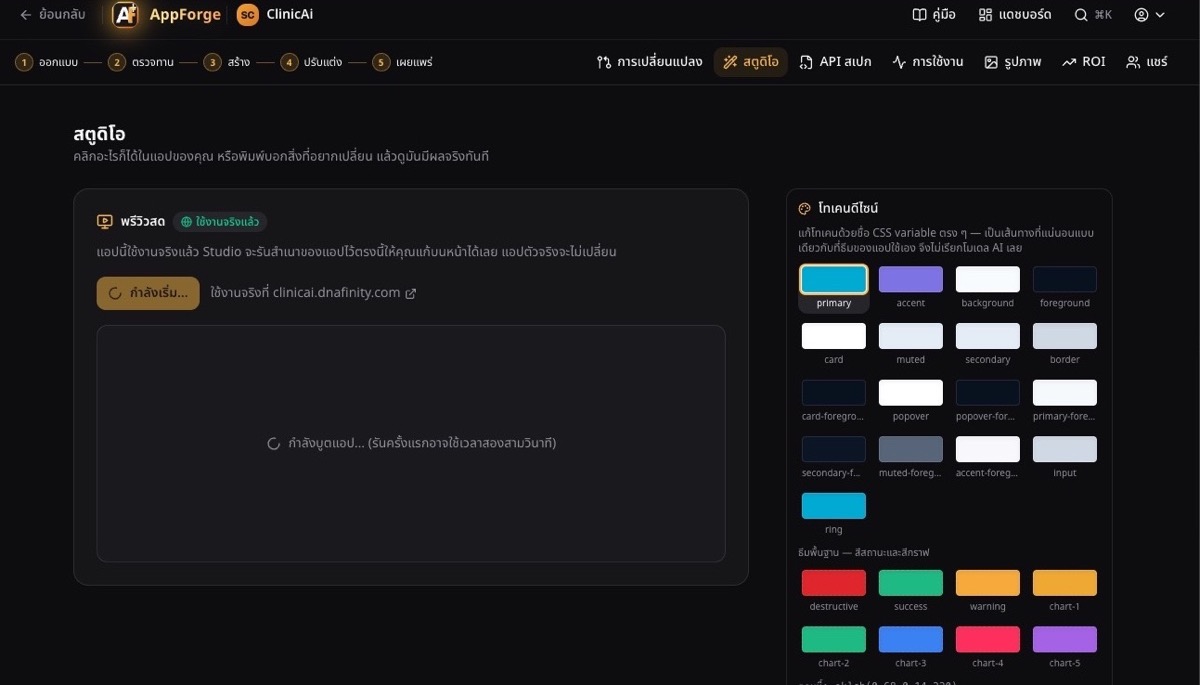
Studio starts a copy of your app by itself. The first start takes about a minute. If your app is already live, the live app stays as it is.
2Your app, running inside Studio
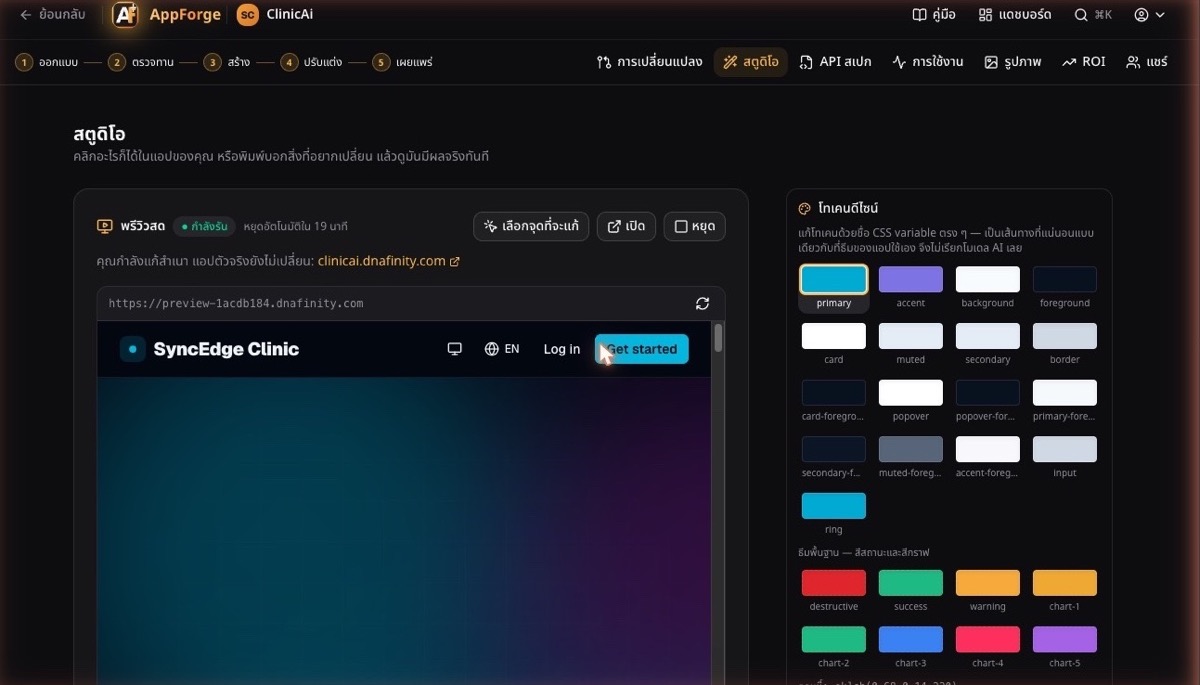
Running, the time left before it stops by itself, and a line saying you are editing a copy.
3Pick the spot to change
A frame on what you clicked. Solid means Studio can change it exactly, for free. Dashed means you describe the change in words and see the price first.
4Change a colour
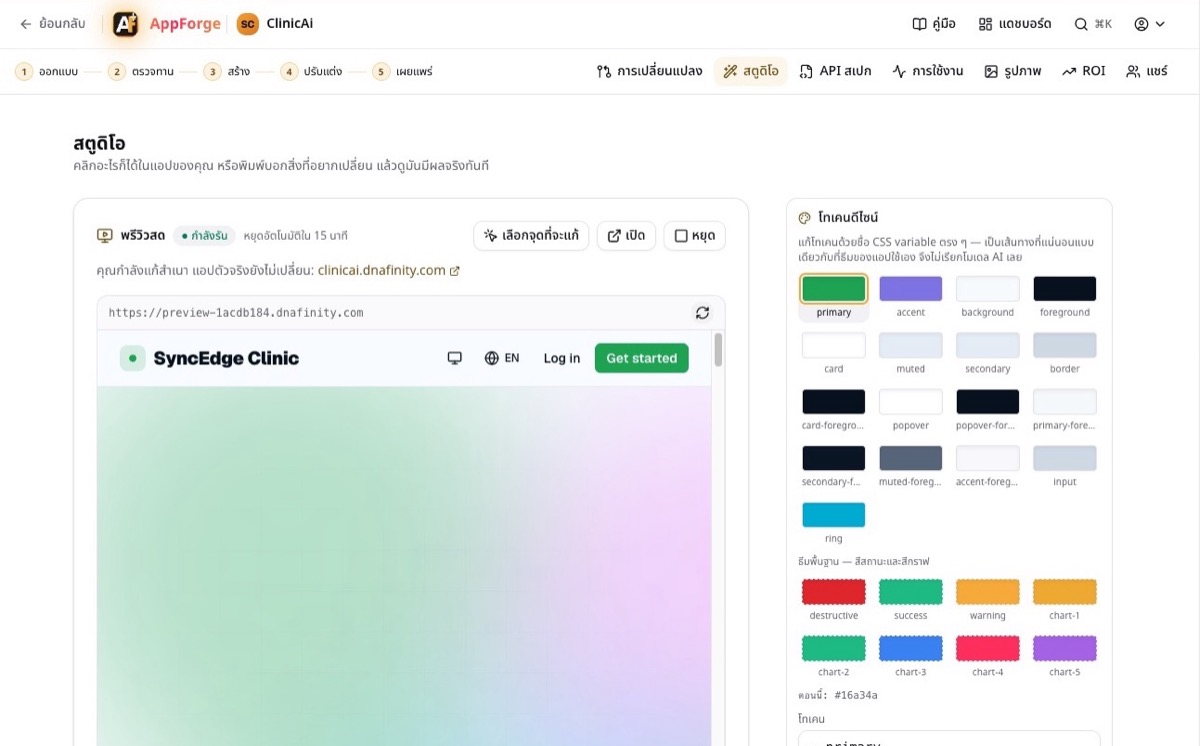
The page changes at once. No AI is called and it costs 0 credits.
5Describe a change and see its price first
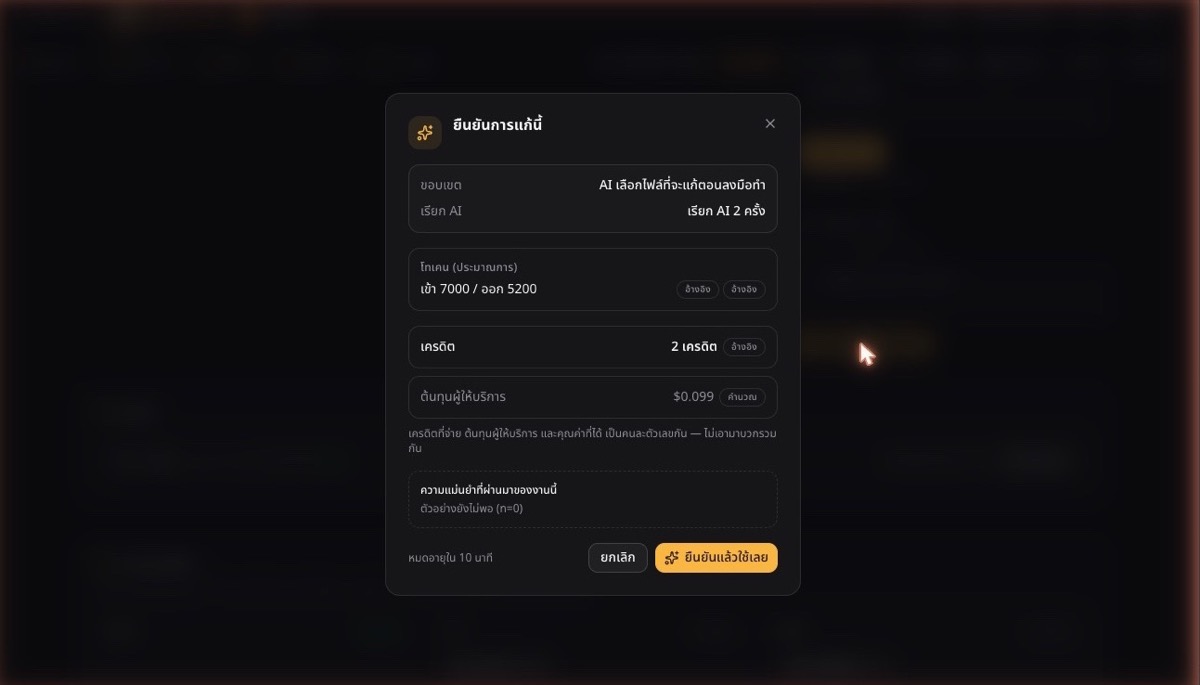
Before anything runs: how many AI calls, the estimated tokens, the credits and the provider's cost. Cancel costs nothing.
6Undo, and check before it goes further
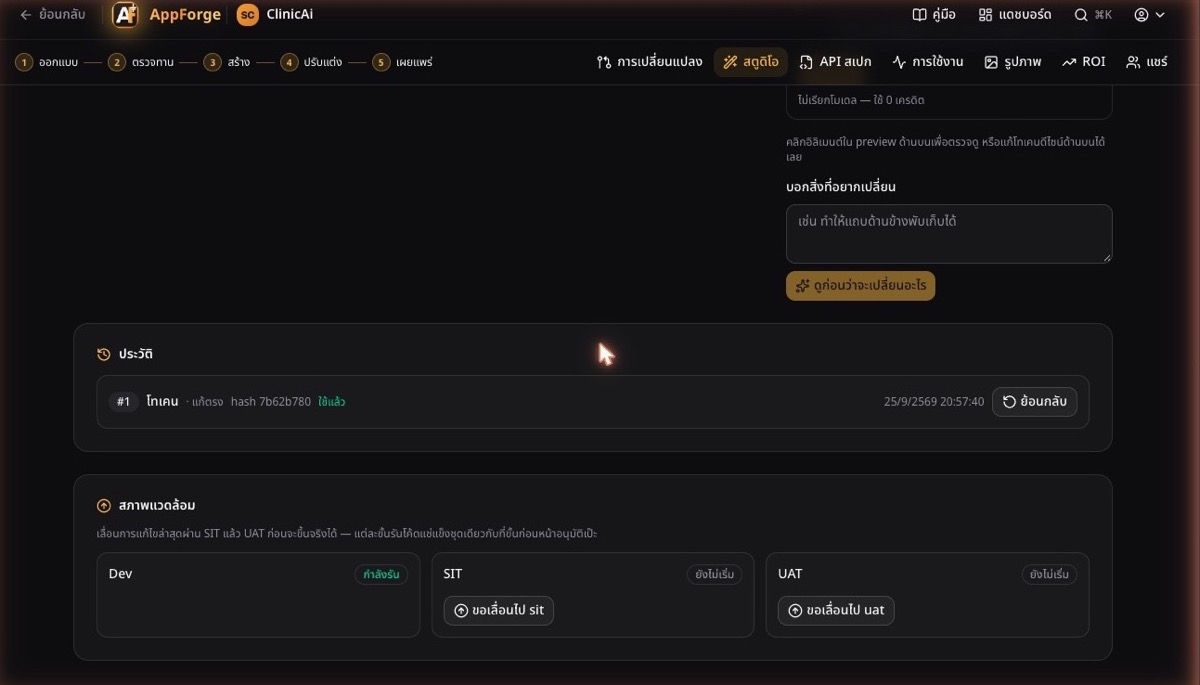
Every edit, with its time and whether it was direct or AI. Environments move an edit through SIT, then UAT, and each stage runs the exact frozen code the stage before approved.
The Studio screenshots are from ClinicAi on production, 25 Sep 2026.
54 screen types the compiler builds, and 3 the template ships
When a screen in your design fits one of these types, the API form names it and the compiler writes the page with no AI. A screen that fits none is written by AI. The compiler builds 54 types; 3 are pages the app template already ships.
Data and lists A
- ListA01
- Card galleryA02
- Record detailA03
- List with detailA04
- Hierarchy treeA05
- Compare / reconcileA06
Forms B
- FormB01
- Section formB02
- WizardB03
- Transaction formB04
- Bulk edit gridB05
- QuestionnaireB06
Overview C
- DashboardC01
- WorkbenchC02
- ReportC03
- TimelineC04
- OverviewC05
- Record overviewC06
Work and time D
- CalendarD01
- BookingD02
- Kanban boardD03
- Work queueD04
- Approval inboxD05
- Case trackerD06
- Rule tableD07
- Gantt planD08
Selling E
- CatalogE01
- Product detailE02
- CheckoutE03
- Order trackingE04
- My membershipE05
Content F
- SearchF01
- Asset libraryF02
- Document editorF03
- Article (CMS)F04
Conversation G
- Team inboxG01
- AI assistantG02
- FeedG03
- Self-check quizG04
Account H
- Account recovery · templateH01
- Onboarding checklistH02
- My profileH03
- Team · templateH04
Administration I
- SettingsI01
- Integrations · templateI02
- Operations logI03
- Notification centerI04
Public pages J
- Landing pageJ01
Places and devices K
- MapK01
- Kiosk check-inK02
- Offline field recordK03
- Device captureK04
- Live monitorK05
Canvas L
- Flow diagramL01
- Media player / editorL02
- Print viewL03
Advanced studios M
- Knowledge graphM01
One app, MindDNA, against a human team
AppForge's side is measured on the real build. The human team's side is an estimate from the in-app ROI calculator, for the same scope.
| AppForge · measured | Human team · estimate | |
|---|---|---|
| Time to an app you can use | 27 min | 3.5–12.6 weeks |
| Cost | 109 creditsThis run's real AI cost: ฿62 (238,388 tokens) | ฿162,000–฿771,000 |
| Scope | 9 features · 8 screens · 9 tables · 8 APIs, with the app template's sign-up, admin and plans | |
credits had the AI written the whole app (Balanced budget + 11 kits)
credits the 6GL compiler did for free (5 APIs, 3 screens)
credits, the price shown before building and the price charged
AI-written code runs fenced off from your system
Every preview runs code an AI wrote, so it is fenced in three ways. These results were measured from inside MindDNA's preview on production.
When and how: every MindDNA number was measured on production on 30 Sep 2026, 10:45–11:16 (project ebc66363). Studio screenshots: ClinicAi, 25 Sep 2026. Screen words: ClinicAi on production, 1 Oct 2026. The human-team time and cost are estimates from the in-app ROI calculator, not a real quote; the AI cost is the tokens actually used times the provider's list price.
Go deeper: The API Spec form, step by step · Studio, step by step